
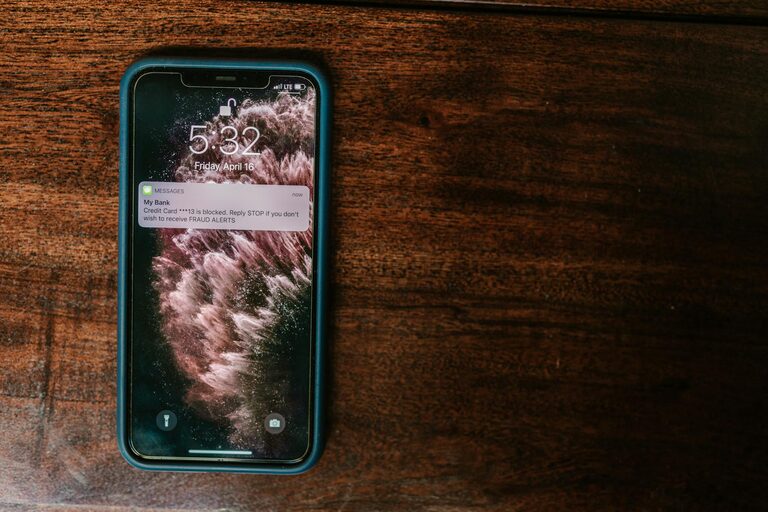
In today’s digital world, notifications are everywhere — popping up on our phones, computers, and other devices. While they help us stay informed and connected, they can also become a source of constant distraction that disrupts our focus and drains our energy. Setting boundaries with notifications is an essential step toward regaining control over your attention and creating a healthier relationship with technology.
In this post, we’ll explore practical tips for managing notifications effectively to enhance your productivity and well-being.
Why Set Boundaries with Notifications?
Before diving into tips, it’s important to understand why limiting notifications matters:
– Reduces distractions: Constant pings interrupt your workflow and make it hard to complete tasks.
– Improves focus: Without frequent interruptions, your brain can concentrate more deeply.
– Supports mental well-being: Continuous alerts can lead to stress and feeling overwhelmed.
– Encourages presence: Boundaries help you stay engaged in conversations and activities without tech interruptions.
With these benefits in mind, let’s look at how to set boundaries thoughtfully.
Tips for Managing Notifications Effectively
1. Audit Your Notifications Regularly
Begin by reviewing which apps and services are sending you notifications. Ask yourself:
– Do I really need alerts from this app?
– What kind of notifications are most useful to me?
– Are some notifications repetitive or irrelevant?
Go through your device settings and disable unnecessary notifications. This simple step reduces noise significantly.
2. Prioritize Important Notifications
Some notifications are more important than others, such as messages from close family or work-critical alerts. Many devices allow you to customize priority notifications. Consider:
– Setting “Do Not Disturb” exceptions for certain contacts or apps.
– Using app-specific notification categories to choose which alerts come through.
This ensures you get the information you need without being overwhelmed by less urgent notifications.
3. Set Specific Times to Check Notifications
Instead of reacting immediately to every alert, designate specific times during your day to review messages or updates. For example:
– Check emails at the top of the hour rather than constantly.
– Review social media notifications once or twice daily.
Batching notification checks helps maintain focus between those times.
4. Use “Do Not Disturb” Modes Wisely
Most smartphones and computers have “Do Not Disturb” (DND) features that silence notifications temporarily. Use these modes during:
– Work or study sessions
– Family time or social gatherings
– Sleeping hours
You can customize DND schedules or enable it manually depending on your daily routine.
5. Limit Notifications on Multiple Devices
If you use several devices, such as a phone, tablet, and laptop, notifications may arrive on all of them simultaneously. This can multiply distractions. To manage this:
– Turn off unnecessary notifications on some devices.
– Use a single primary device for most notifications.
– Adjust sync settings to avoid duplicate alerts.
Simplifying how notifications appear can make interruptions less frequent.
6. Customize Notification Sounds and Visuals
Sometimes notification sounds and pop-ups can be startling or intrusive. Consider:
– Using subtle or silent notification tones.
– Turning off screen pop-ups or banners.
– Adopting vibration-only alerts when appropriate.
Gentler notifications are less disruptive and help you respond in a calm manner.
7. Communicate Your Notification Preferences
If you work in a team or have frequent communication with friends and family, let them know your notification boundaries. For instance:
– Inform colleagues of your usual check-in times.
– Set expectations about response times.
– Use status messages or auto-replies to indicate when you are unavailable.
Clear communication helps others respect your focus time.
8. Reflect on Your Notification Habits
Lastly, periodically reflect on how your notification settings are working. Ask yourself:
– Do I feel less distracted and more in control?
– Are there apps sending too many notifications again?
– What adjustments can I make to improve balance?
Adjusting your settings regularly keeps your notification boundaries in sync with your life.
Conclusion
Notifications are useful tools, but without boundaries, they can take over our attention and cause stress. By auditing your alerts, prioritizing important notifications, scheduling checks, using “Do Not Disturb” modes, and communicating your preferences, you’ll build healthier notification habits. These strategies support greater focus, productivity, and well-being in a connected world.
Start small by making one or two changes today—and enjoy the benefits of calmer, more intentional digital communication.